
Skip to main content

How can we help?
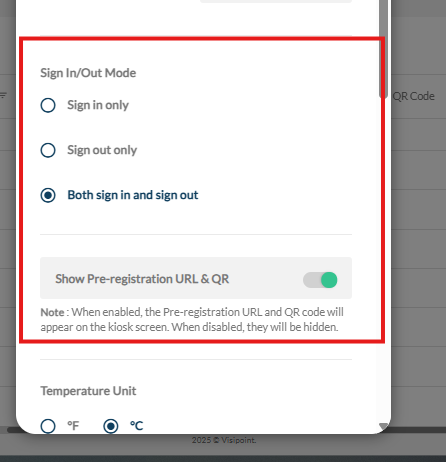
Kiosk Sign In/Out Mode: A new ‘Sign In Only’ or ‘Sign Out Only Mode’ setting.
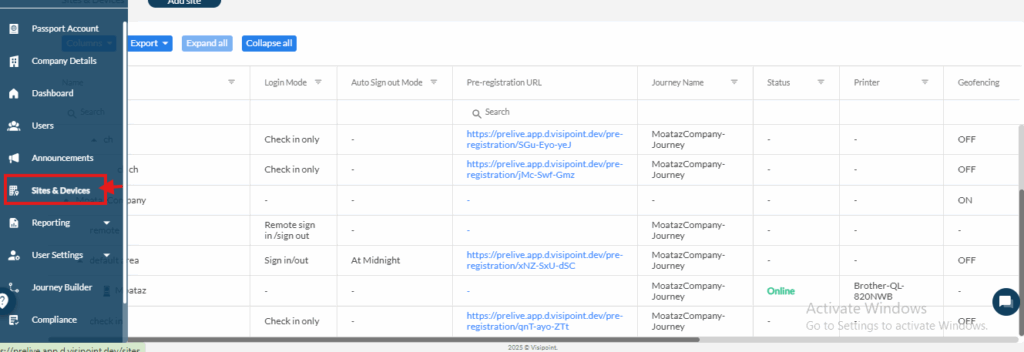
First, we go to Sites and Devices.
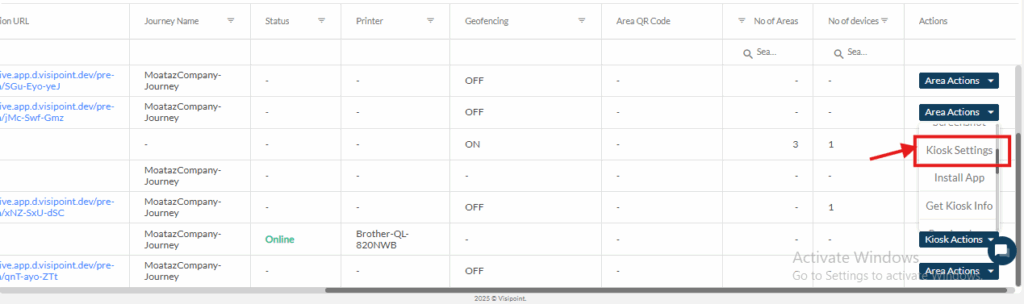
Then choose the kiosk we want to change the sign-in/out mode for.
And click on Kiosk Actions.
Then choose Kiosk Settings.
Choose from the list the sign-in mode which suits you.