

Imagine the morning rush at school, parents at the gate, a contractor in a hi-vis jacket, and an inspector waiting at reception. In these busy moments, safeguarding isn’t just a policy on paper; it’s about protecting your students’ well-being, supporting staff and maintaining your school’s reputation. These days, meeting requirements means more than just ticking boxes. Sound familiar?
Every day in a busy school, it can feel like walking a tightrope. That’s where School Visitor Management really matters, not as admin paperwork, but as a core part of safeguarding compliance for schools. One missed sign-in or unchecked visitor, and you risk more than a failed audit; you risk trust. That’s why more schools are moving beyond paper books to digital Visitor Management Systems that keep them audit-ready and, more importantly, safer than ever.
Here’s the thing: safeguarding isn’t just another policy document gathering dust in the office. It’s the foundation of trust between your school and every parent who drops their child at the gate. And right now, inspectors aren’t just asking if you have visitor records; they want to see who was on site two months ago, whether their Disclosure and Barring Service (DBS) was valid, and how quickly you can pull that information.
Paper logs? They’re done. Spreadsheets? They won’t save you.
This guide walks you through why modern Visitor Management isn’t about going digital for the sake of it; it’s about protecting children properly and sleeping better at night.
Beyond Sign-In: Digital Visitor Management for Safeguarding & Compliance in Schools
Security & Data Protection
Security and data protection are no longer optional in schools; they are a regulatory expectation.
With regulations such as UK GDPR placing strict requirements on how personal data is collected, stored, and accessed, schools must ensure visitor information is protected at all times. Paper logbooks leave sensitive details exposed on reception desks, vulnerable to loss, misuse, or unauthorised viewing.
A digital Visitor Management System like VisiPoint secures visitor data through encrypted storage, controlled access, and tamper-proof audit trails. This means schools can demonstrate responsible data handling, protect personal information more effectively than paper systems, and meet modern privacy and safeguarding expectations with confidence, without adding extra administrative burden.
How can a school VMS track and log mandatory DBS or background checks for all contractors and supply staff?
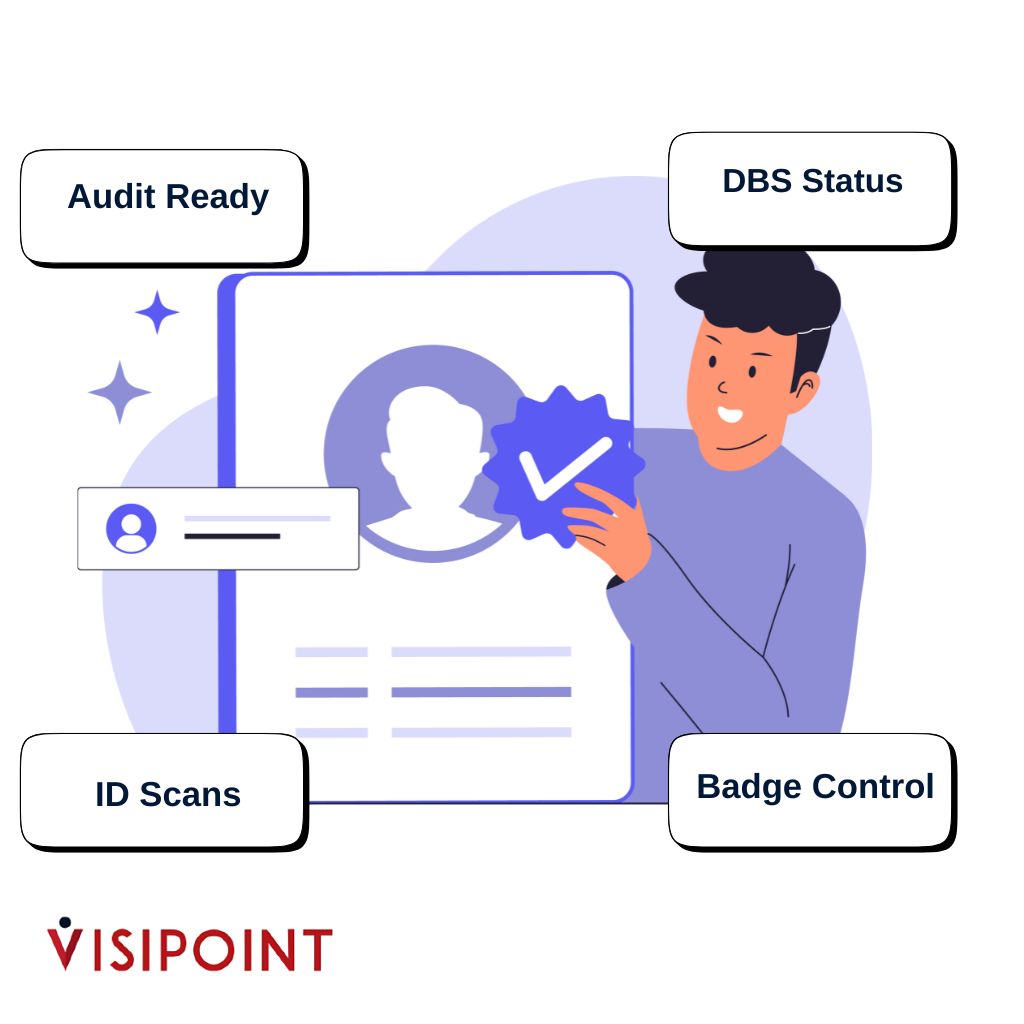
Let’s be honest: you’ve probably spent at least one morning chasing down a supply teacher’s DBS certificate while they’re already halfway through registration.
Or worse, a contractor turns up, and no one’s quite sure if they’re the same person who came last month with the valid check, or someone completely new.
A proper VMS ends that guessing game.
Here’s how it actually works on the ground:
- Staff walk straight through (they’re already in the system)
- Regular contractors with up-to-date DBS? Recognised instantly, given their badge, done in 30 seconds
- New visitors without clearance? Flagged automatically. They get an “Escorted Visitor” badge with a red border, so that staff can see from across the corridor that this person needs supervision
The difference? All DBS details, ID scans, and clearance notes are attached to individual profiles in the system. Not in a filing cabinet. Not in someone’s email. In the system, encrypted and ready for inspection.
When an auditor asks, “Show me proof that the contractor had valid clearance on March 12th,” you pull it up in seconds instead of digging through three months of paper.
Real talk: This alone has saved schools from failed safeguarding audits. It’s the power of a VMS for education compliance, working quietly behind the scenes so you don’t have to.
What is the legal requirement for maintaining a visitor sign-in record?
The regulations are clear, even if they’re not always highlighted. Keeping Children Safe in Education requires every school to know exactly who’s on site, when, and that each visitor has the proper clearance.
Paper logs can’t do that properly. We’ve all seen them:
• Half the signatures are illegible.
• Someone forgot to sign out again.
• The book’s gone missing because someone took it to the office.
• There’s no way to prove that the entry actually happened at 9:12 am and wasn’t backdated later.
Inspectors know this. They’ve seen it a hundred times.
That’s where a School Visitor Management and safeguarding system makes all the difference. A modern VMS for education compliance creates a digital audit trail that’s timestamped, encrypted, and GDPR-compliant. Every entry is logged the moment it happens nothing can be altered afterwards.
Need to show who was on site during an evacuation? Your digital fire register for schools is ready in seconds. Want to confirm a contractor’s clearance? Their DBS check logging record is attached to their profile, available instantly for inspection.
It’s not just about ticking boxes; it’s about meeting statutory guidance for visitor management and being able to stand before a governing board or inspector with absolute confidence: “Yes, we know exactly who was here and here’s the proof.”
How does a digital system provide a real-time, mobile fire evacuation list for school emergency procedures?
Picture this.
The fire alarm sounds halfway through break time.
Four hundred pupils are out on the field, twenty staff are spread across classrooms, there’s a delivery driver waiting at reception, two parents in the office, and a contractor somewhere near the boiler room.
Now imagine someone turning back towards the building to fetch the paper visitor log.
Not going to happen, is it?
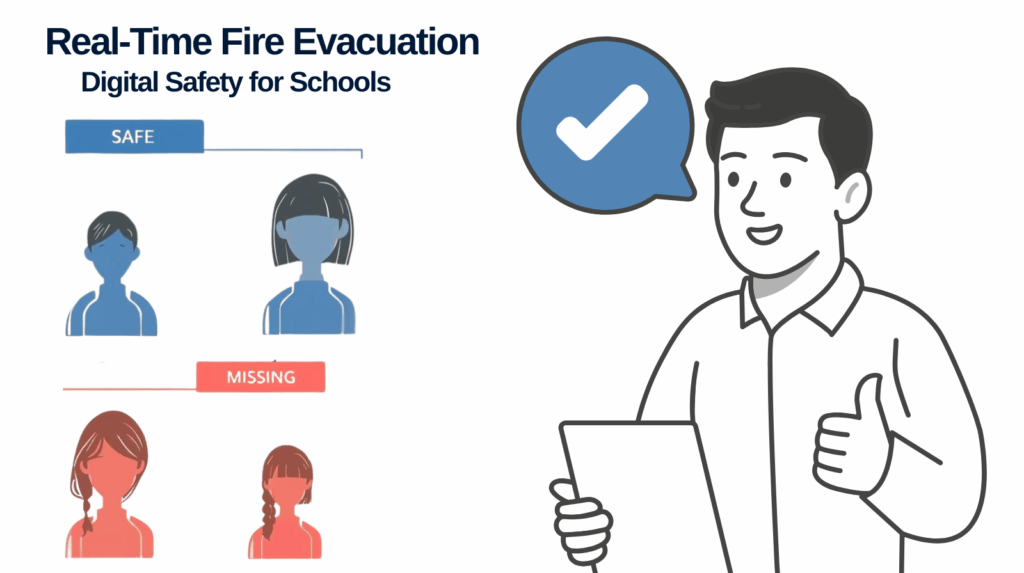
With a digital system, your fire register’s already in your hand. Fire wardens simply open the app on their phone right there on the field and see a live list of everyone who signed in that morning:
- All staff (automatically logged in through the system).
- Every visitor currently on site.
- Real-time updates if anyone signs out during the evacuation.
No guesswork. No out-of-date printouts. No wondering if the parent who was in reception five minutes ago is still inside.
During drills, you can tick people off as you go.
In a real emergency, you know instantly who’s missing and who’s safe.
This isn’t a nice extra.
It’s what keeps children safe when every second counts.
What information must be captured by a school’s VMS to satisfy safeguarding audits?
A digital VMS removes uncertainty by ensuring every safeguarding requirement is consistently recorded:
✅ Full visitor name (clearly captured, not handwritten)
✅ Organisation or company name
✅ Purpose of visit (specific and accountable)
✅ Accurate entry and exit times (automatically timestamped)
✅ Host or staff member responsible for the visitor
✅ DBS or ID verification status (checked, dated, and logged)
✅ Visitor photograph for identity verification
✅ Secure, tamper-proof audit trail ready for inspections
Paper systems fail on at least half of these. A digital visitor management system ensures every box is checked, automatically, securely, and without last-minute admin stress.
VisiPoint captures all of this automatically during sign-in. Data is stored securely in the cloud, tamper-proof, and ready to export for any inspection.
When an auditor says, “I need to see your visitor logs for the last six months,” you hand them a full, formatted report. Job done.
How can a VMS differentiate the access and screening for escorted vs. unsupervised visitors on a school site?
Not all visitors need the same level of access, and staff need to know the difference at a glance.
Here’s where workflows make all the difference:
Escorted visitors (e.g., new contractors, parents attending meetings):
- Must be accompanied at all times.
- Receive a badge with a red border or a clear “Escorted Visitor” label.
- Staff see that badge and know: this person shouldn’t be wandering the corridors alone.
Unsupervised visitors (e.g., regular volunteers, approved contractors):
- Valid DBS already logged.
- Receive an “Authorised” badge (different colour, different design).
- Staff see this badge and know they’ve been cleared.
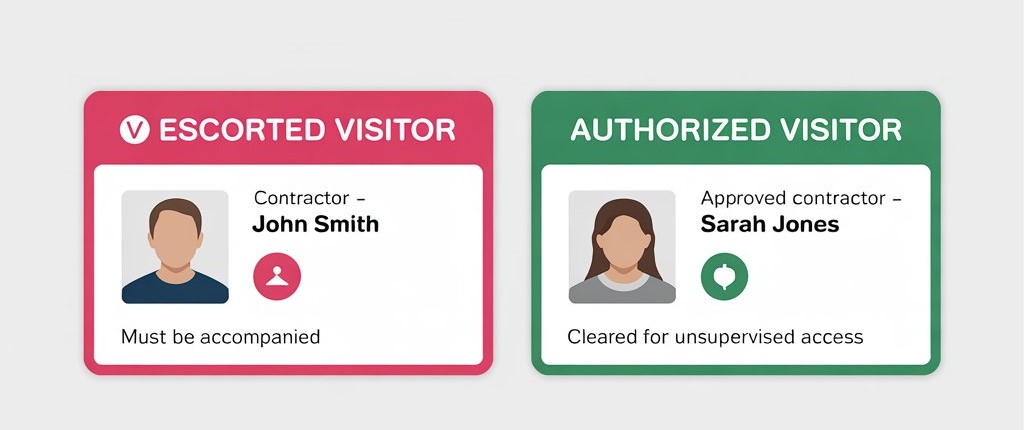
These visual cues remove the burden from your team. They don’t have to remember who’s who the system and the badge tell them instantly.
And if someone questions it? The digital log shows exactly what level of access was granted and why.
Why safeguarding compliance now requires a digital-first approach?
Here’s the reality: inspection frameworks are tougher now than they’ve ever been. Office for Standards in Education, Children’s Services (Ofsted) and Skills, local authorities, and safeguarding boards expect schools to demonstrate not just compliance, but active, proactive protection.
Paper systems can’t keep up.
Digital Visitor Management delivers:
- Instant audit trails: no digging, no delays.
- Live emergency lists: accessible anywhere, anytime.
- Automated compliance evidence: captured without extra admin.
- Less time on paperwork: more time for students.
Ultimately, it all boils down to one simple thing: digital systems give you confidence. Confidence that when something goes wrong, an incident, an inspection, an emergency, you’re covered. You’ve done everything right, and you can prove it.
That confidence matters. For your staff. For your governors. For every parent who trusts you with their child.
Ready to make safeguarding simpler and stronger?
We’re here to support your safeguarding journey. Get in touch to discuss your school’s unique needs. Our team is ready to listen and help you find the best solution.
Is your school audit-ready? Don’t wait for the inspector to find the gaps.