The new auto-approve feature is used for users with approval required.
If they answer the compliance questions correctly, they do not need to wait for approval from the admin, the system will automatically do it.
In order to activate it:
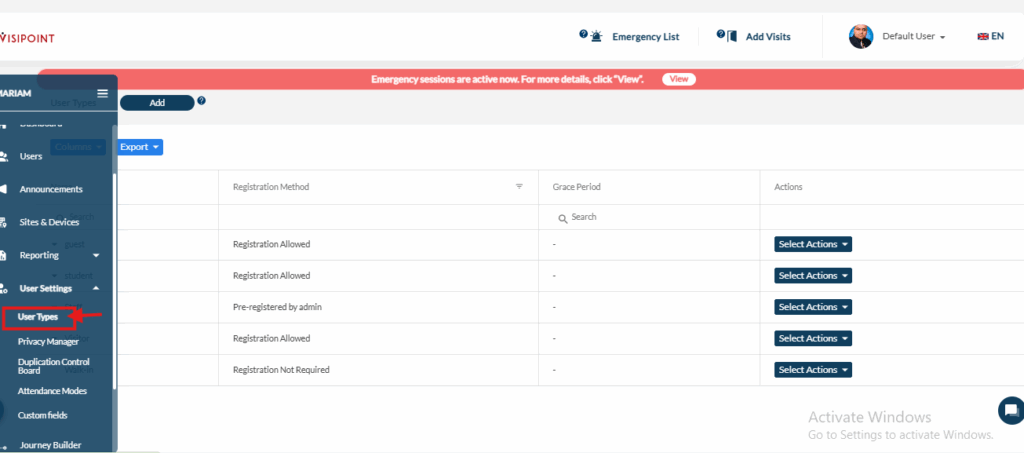
First, we go to User Type, which is located under the User Settings on the dashboard.
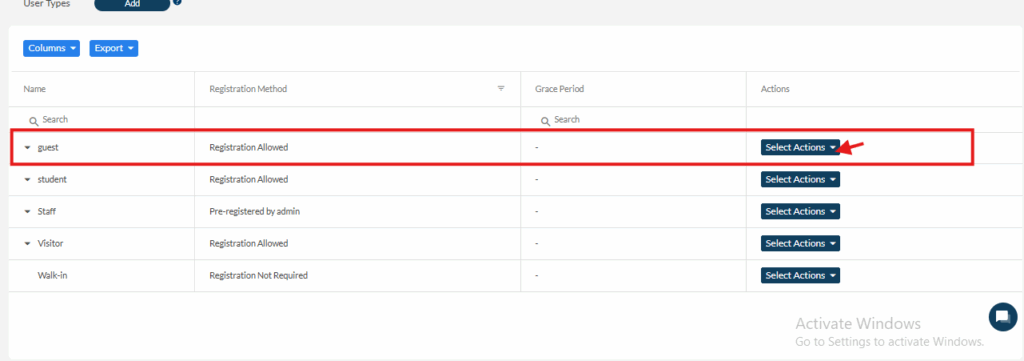
Second, we go to the desired user type.
Go to Actions and then Edit.
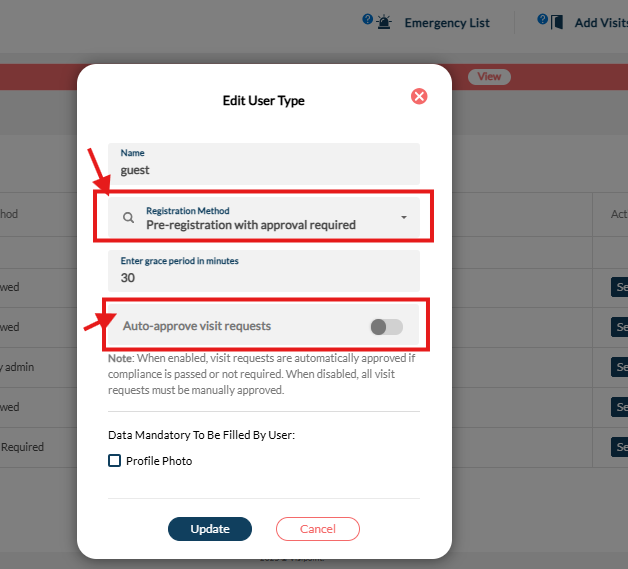
Third, change the user registration method to Pre-registration with Approval Required and then activate the auto-approval and update the changes.
We use cookies to ensure that we give you the best experience on our website. If you continue to use this site we will assume that you are happy with it.